
Check Types are exactly what they sound like--different types of checks you can process in payroll! Depending on your unique payroll needs, our Support Team can create predefined Check Types for your company to use when running payroll.
When & How To Use Check Types
You can define multiple paycheck types that have access to different attributes that affect how the check is calculated or taxed, saving you time from manually configuring these settings for each check.
For example, a company may choose to block all deductions except 401(k) on their Bonus checks and apply a flat 25% federal tax percentage on Commission checks.
If you need to set up any additional Check Types for your organization, please reach out to our Support team and we would be happy to help!
Selecting Check Types For Payroll
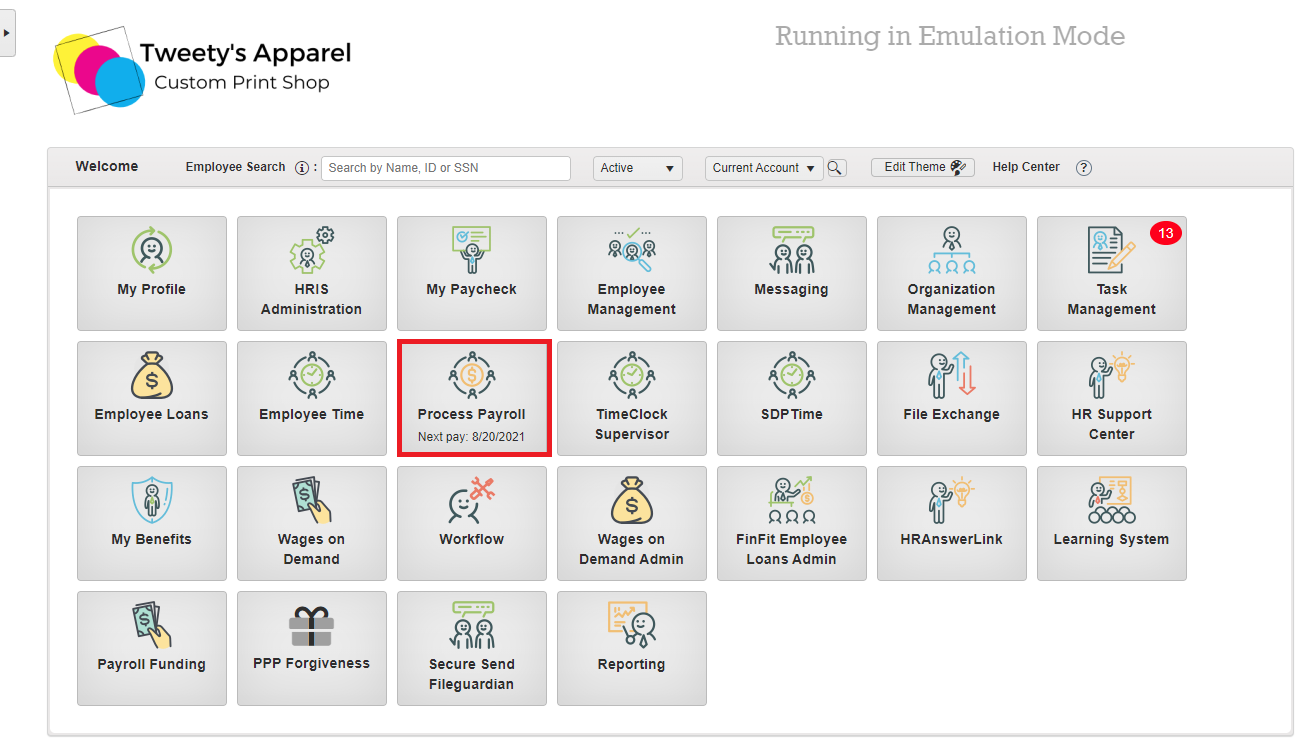
To begin, launch the Process Payroll module from your HRIS portal.
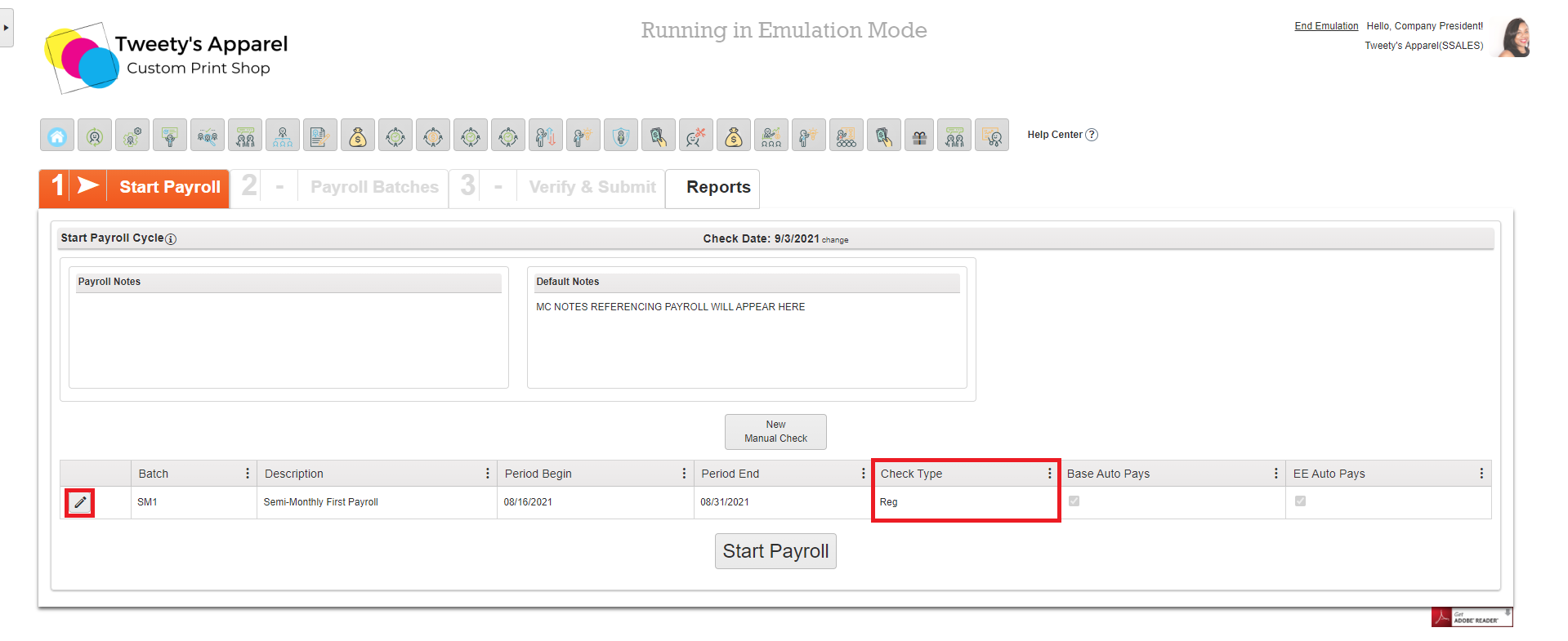
If you have not yet started payroll, you will be able to see the default Check Type for your batch on the Start Payroll screen. If you need to make any changes before opening your payroll batch, you can do so by selecting the Pencil icon next to your batch.
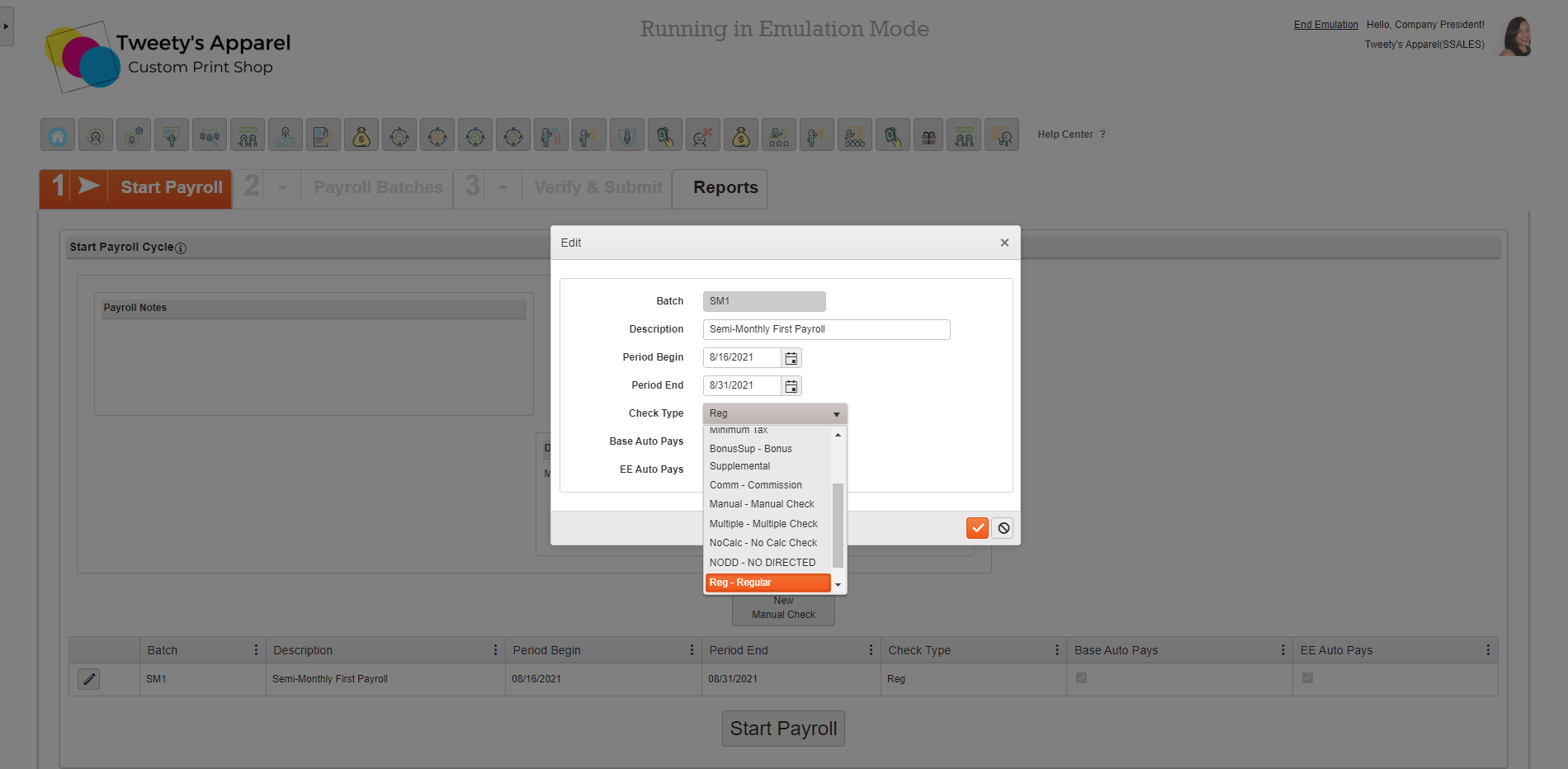
From here, you can select the appropriate Check Type from the drop-down menu.
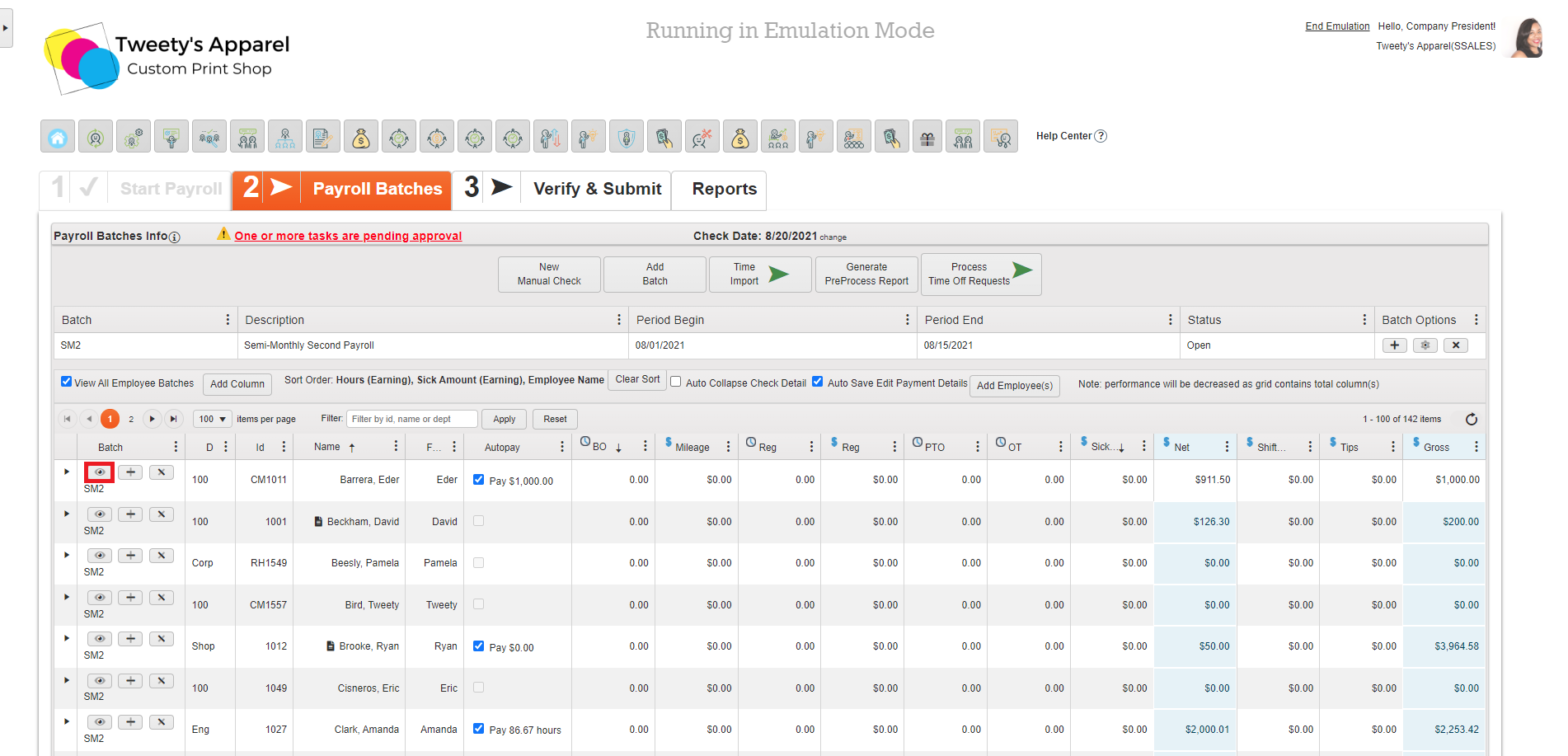
If you are already in your Payroll Batch, you can view Check Type by selecting the Eye icon next to a check.
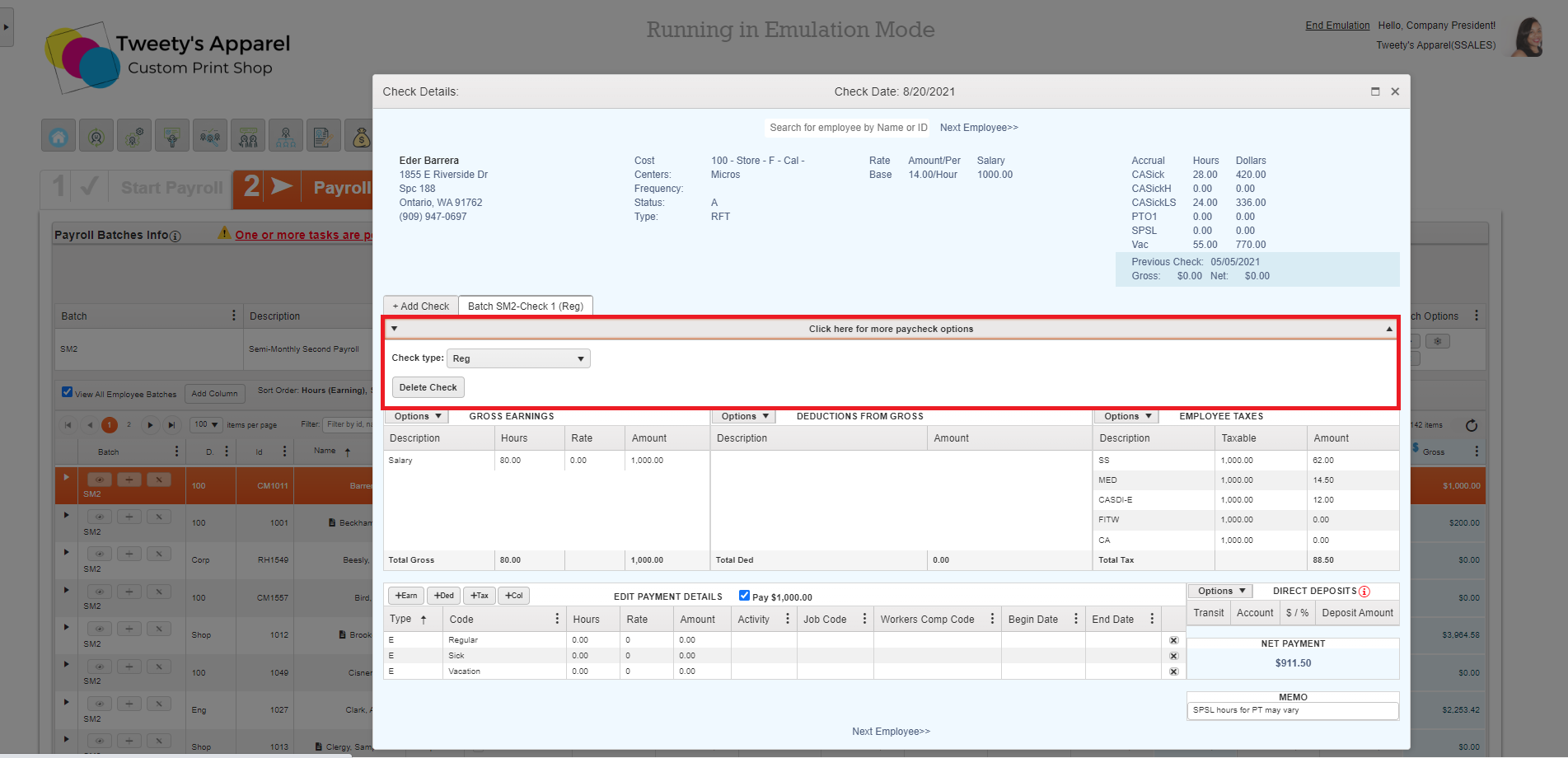
This will open the Check Details screen. Selecting Click here for more paycheck options will reveal a drop-down menu where you can view the current check type, change it if necessary, or delete the check.
Adding Additional Checks
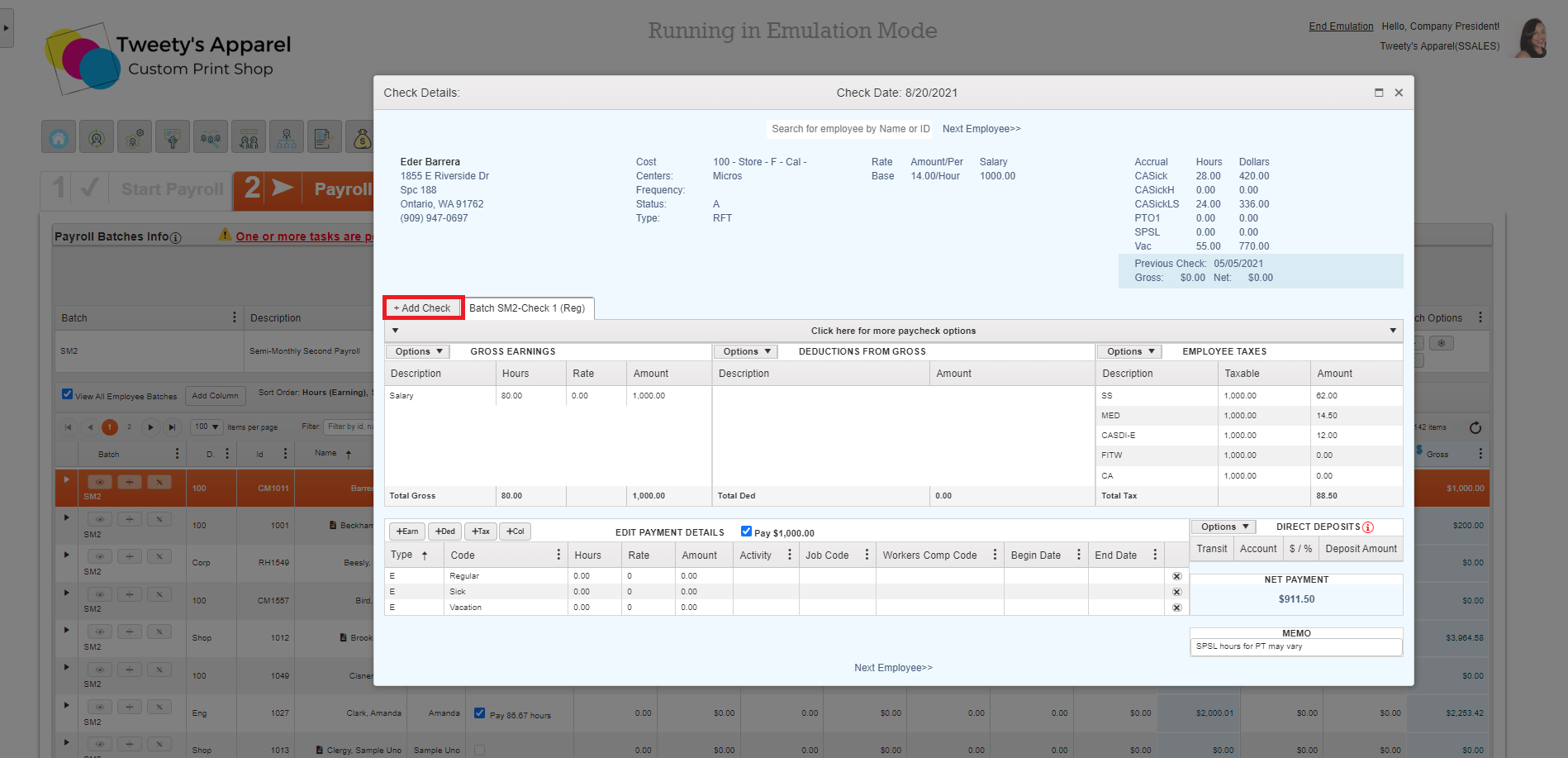
You can also add additional checks by pressing the +Add Check button in the Check Detail screen.
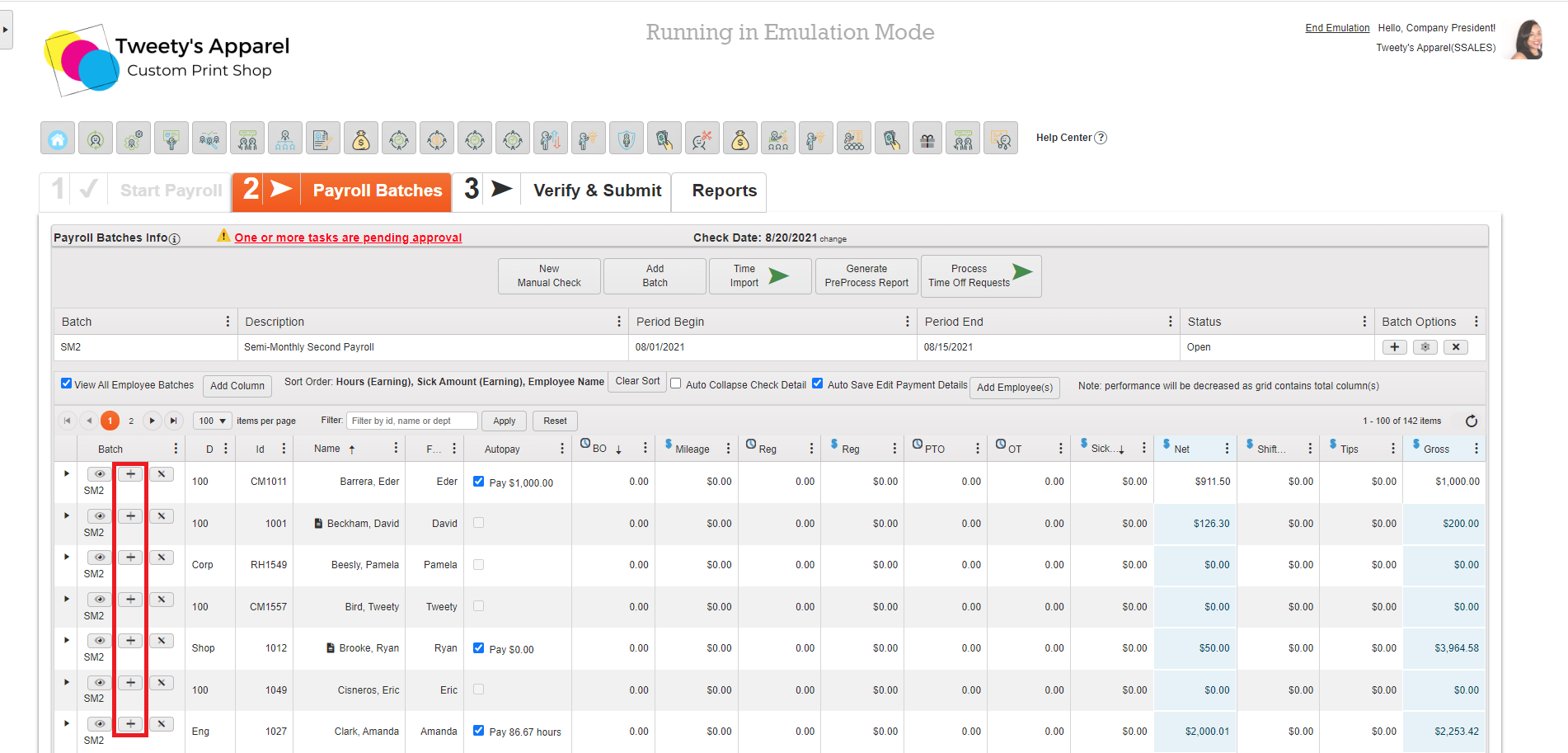
Top Tip: You can also press the Plus (+) icon next to any employee in your Pay Grid as a shortcut to add an additional check.
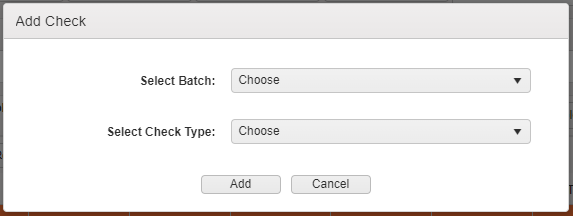
Then, select the Batch to add your check to and the appropriate Check Type to Add your check.
After this, when you reopen the employee's Check Details, you will see a tab for each check with the Check Type in parenthesis.

Comments
0 comments
Please sign in to leave a comment.