
There may be times when a user makes too many login attempts and is locked out of their account. On the other hand, you may have a situation where you have the need to lock a user out, preventing them from accessing their accounts. When this happens, Administrators have the ability to lock or unlock a user's account.
Step-By-Step Instructions
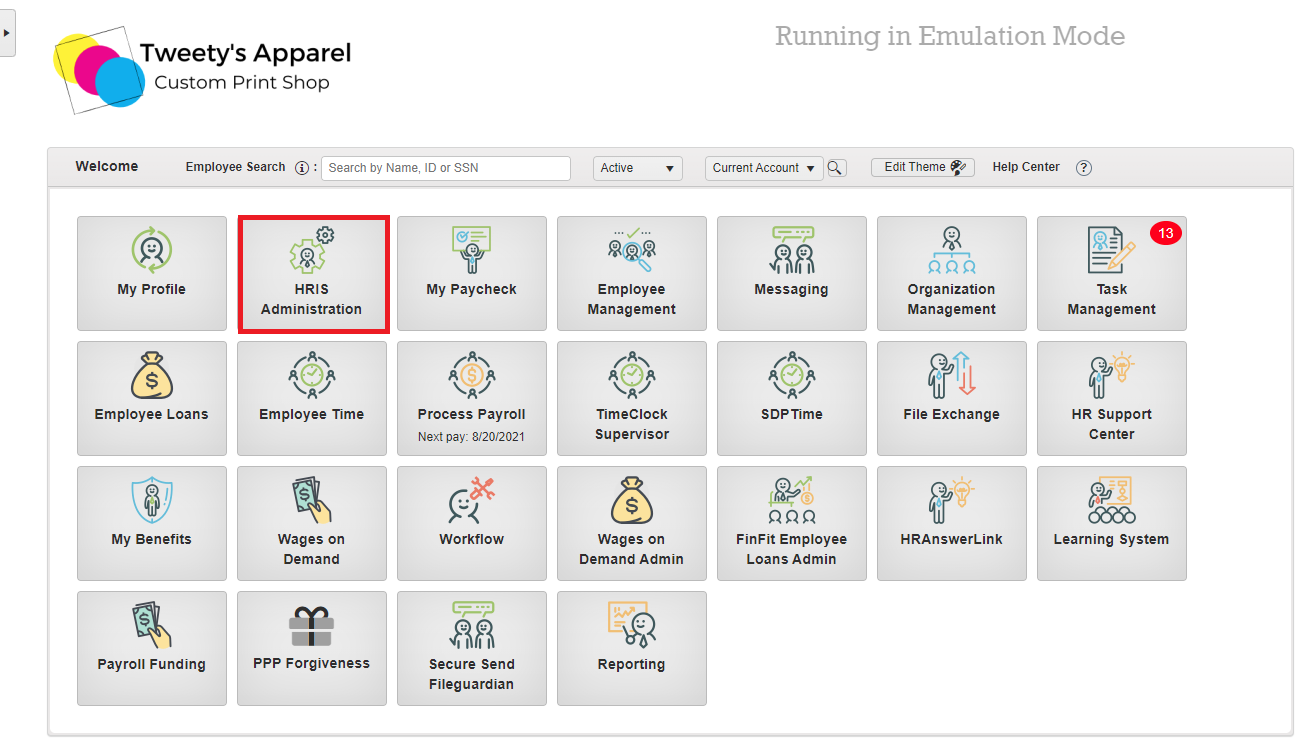
To begin, launch the HRIS Administration module from the home page of your HRIS portal.
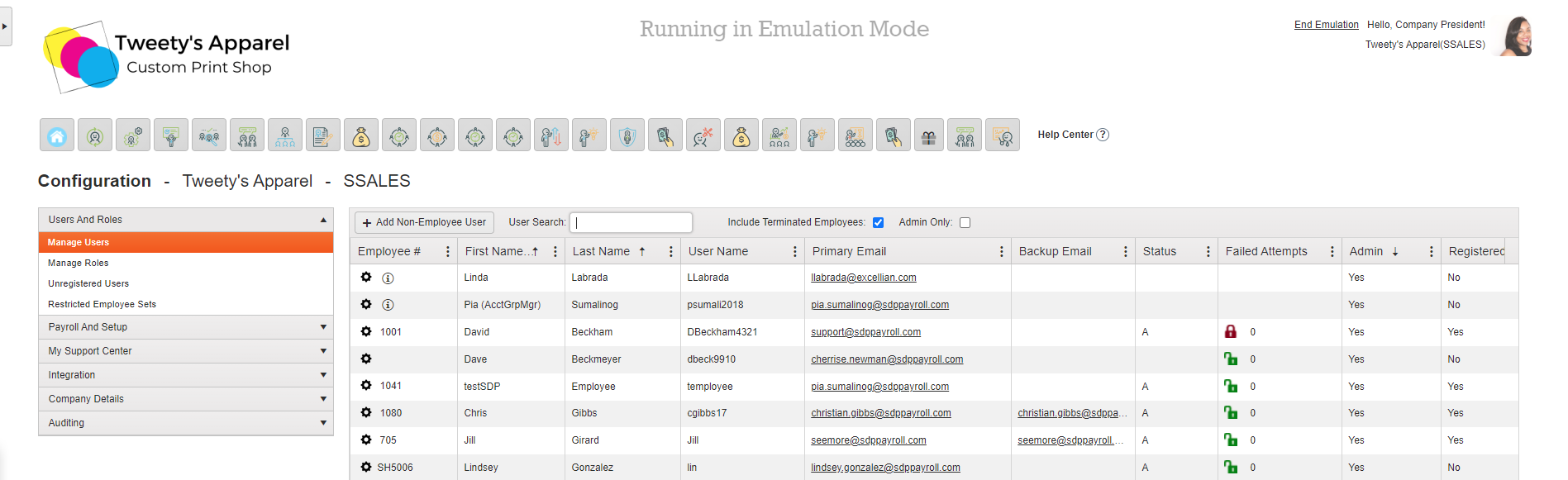
Under Users And Roles > Manage Users, each user with ESS enabled will have either a red or green lock next to their name. From here, you can click on a green lock to change it to red, locking the user out of their account. Or, you can click on a red lock to change it to green, unlocking a user's account.
Comments
1 comment
The print is so small I can't read it when researching.
Please sign in to leave a comment.