
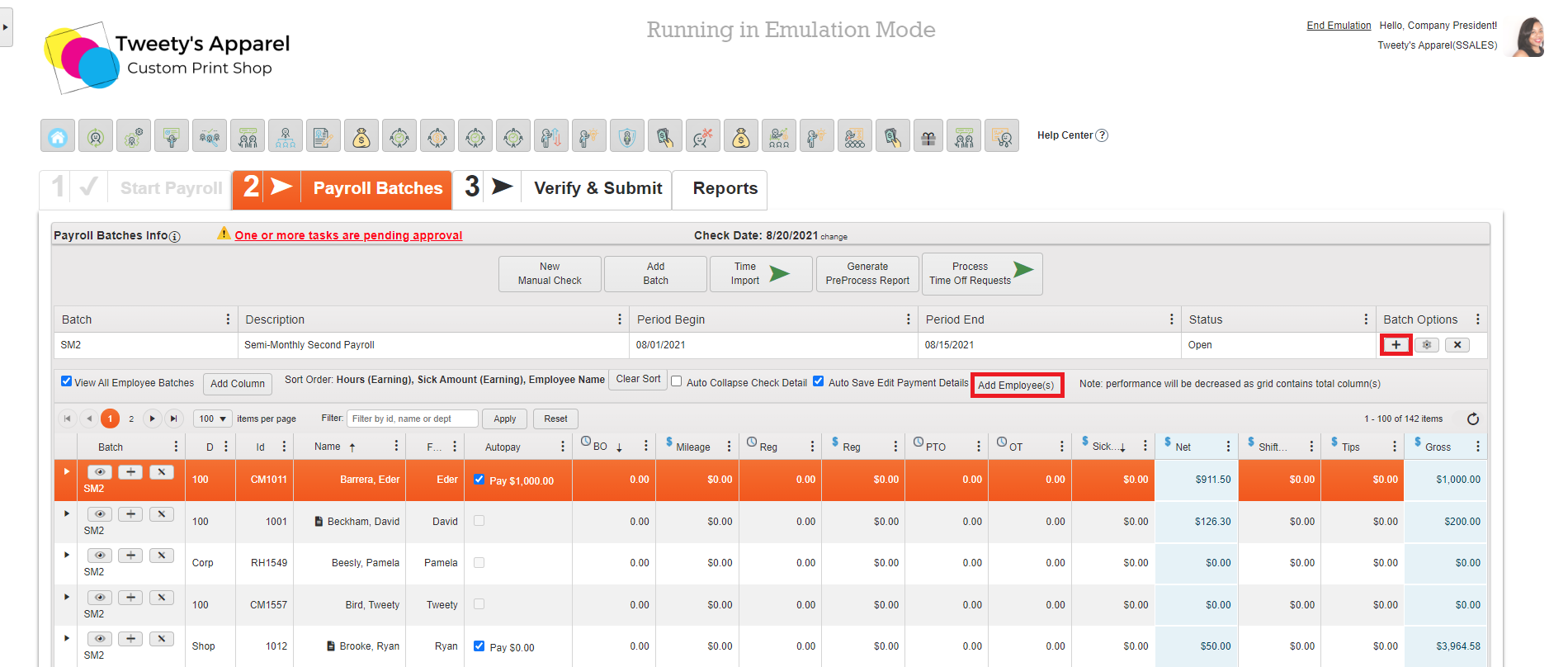
If any employees are missing from your batch (for example, if a new hire was added after payroll was already started), you can add them by clicking either Add Employee(s) or the Plus (+) button under Batch Options under your Payroll Patch Info.
Top Tip: To ensure your batch is as up-to-date as possible with all employees and correct pay rates, deductions, and salaries, we recommend making any employee changes before starting payroll!
Comments
0 comments
Please sign in to leave a comment.