
Version 21.1 Release Notes
Announcing version 21.1 of your HRIS portal. Please review the release notes below for 21.1 updates and let us know if you have any questions or concerns.
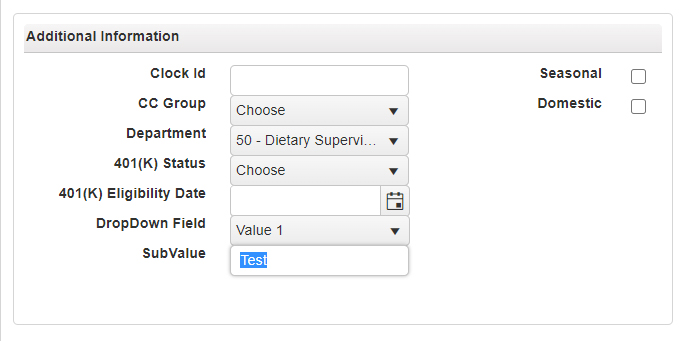
Custom Fields Added to Employee Management
For your convenience, the ability to add custom fields have been added to the Employee Management section of your portal. These fields are completely customizable to fit your company’s needs.
Custom fields can be set up in the Payroll and Setup menu under Department and Custom Field Configuration->Custom Fields.
Learn how to create a custom field now!
New Date-Based Workflows Added
Are you looking to streamline communications with employees and automate routine tasks? Then our Workflows module is just what you’ve been looking for!
With Workflows, you can easily prioritize incoming projects, assign tasks, and get real-time updates on progress all from within your HRIS portal! With the Workflows module, you can seamlessly build and design custom workflows in minutes to increase your company’s overall production.
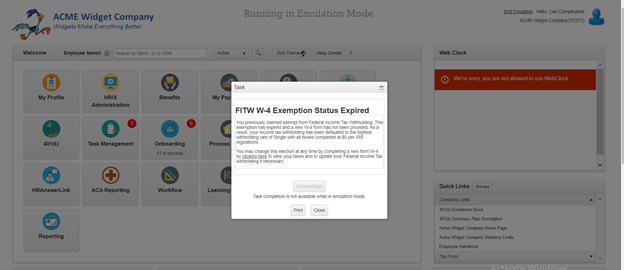
This latest update includes several enhancements, including the ability to:
- Create recurring workflows based on dates (anniversaries, license expirations, etc.)
- Receive documents.
- Integrate with the Onboarding module to assign onboarding tasks Have employees review notifications and file attachments.
- Configure multi-level approvals.
- Build workflows to centralize, review, and approve projects.
Payroll Processing: Enhanced Payroll Validations
We’ve also enhanced the Validation section of the Verify and Submit Screen in your Payroll Processing module to reduce your risk of payroll errors, including:
- NEW: Active Rate – checks that each employee in payroll has an active rate. If not, you will be able to edit the employee’s rate from this screen.
- All Active Employees Paid - situations where an active employee has not been paid.
- No Terminated Employees Paid - situations where a terminated employee has been paid.
- Onboarding Employees OK - checks to see if there are employees that are still in the onboarding state that may need to be paid.
- Direct Deposit Changes - lists all account or routing number changes that have been made.
- High Risk Routing Numbers - allows you to monitor for high-risk routing numbers in your payroll.
- New Pays - lists anyone new who has been paid, no matter their status.
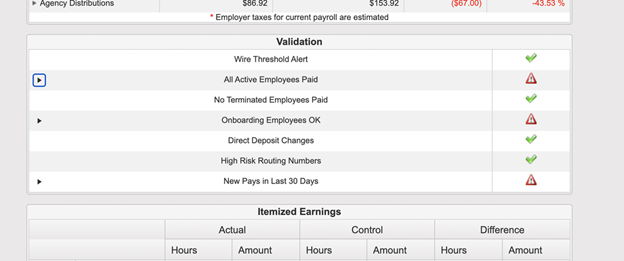
Remember: You must always approve any open validation warnings before submitting payroll.
Time Off Requests Added to Mobile App
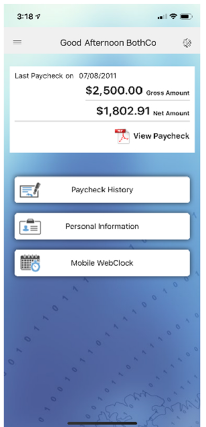
Available on IOS and Android, our mobile app allows you and your employees to securely access your payroll and HR information from your mobile device – any time, anywhere.
With this latest update, we’ve added Time Off Requests to the mobile app for even greater convenience. After all, with the prevalence of mobile devices and remote or hybrid employees, the employee of today is often working on the go—making mobile tools to access payroll and HR information no longer a luxury, but a necessity.
If you have any questions on the mobile app’s functionality or need help letting your employees know this is available, please let us know and we would be happy to help!
PPP Forgiveness Estimator
PPP Round 2 is here! Whether you’re planning to apply for a Round 2 loan or are preparing to submit your forgiveness application for a Round 1 loan, our PPP Forgiveness Estimator module has a wealth of information to guide you through the loan forgiveness process.
The current version of the estimator incorporates the most recent guidance and uses the generally accepted assumptions about the areas of the code that guidance has not yet been released on. Additionally, our team is continuing to monitor new guidance and update the module as changes are released.
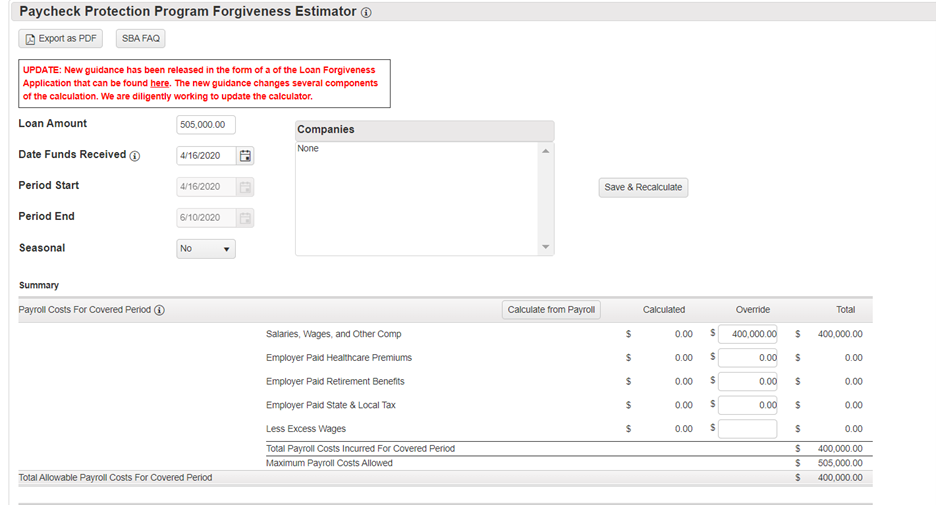
For more information on the PPP Forgiveness Estimator, check out:
Comments
0 comments
Please sign in to leave a comment.