
Quick Links are a quick and easy way to link to documents and commonly used websites in your HRIS portal. While you do have the option to configure Quick Links by role, you can also create links that are visible to all users in your organization.
Step-By-Step Instructions
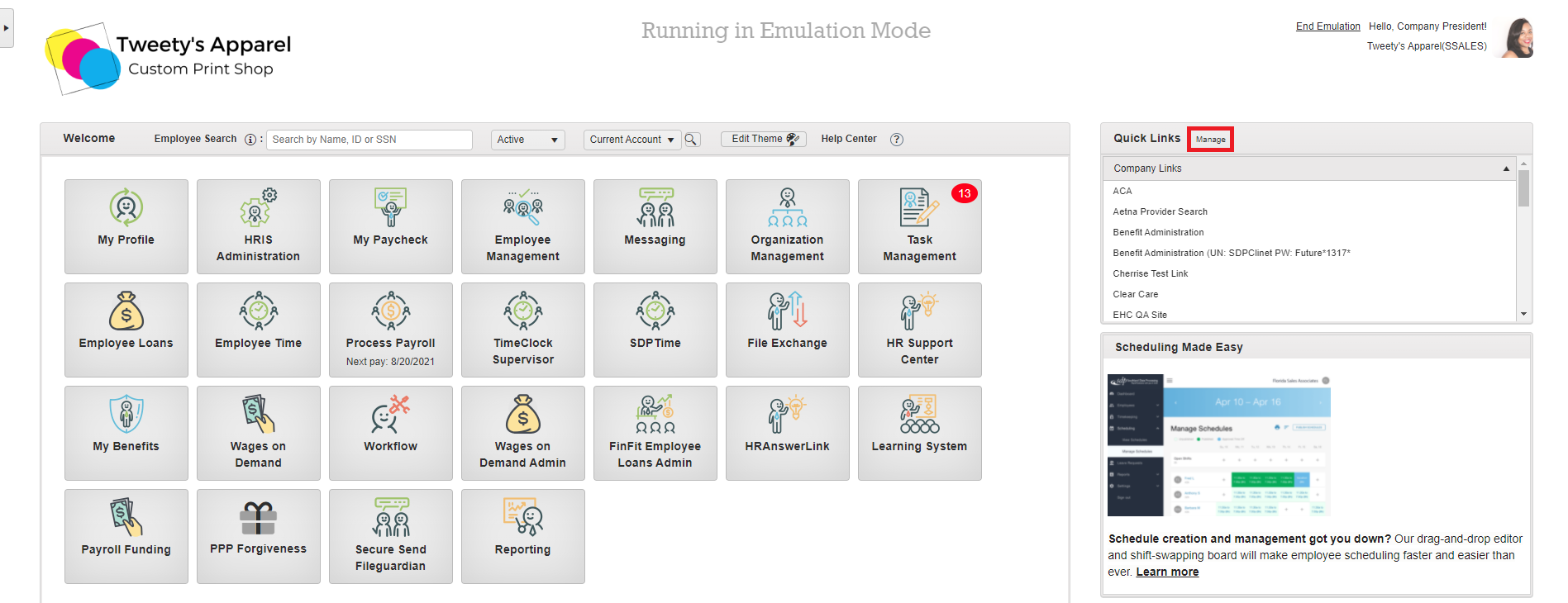
To add a Quick Link, press Manage from the Quick Links section of your home page.
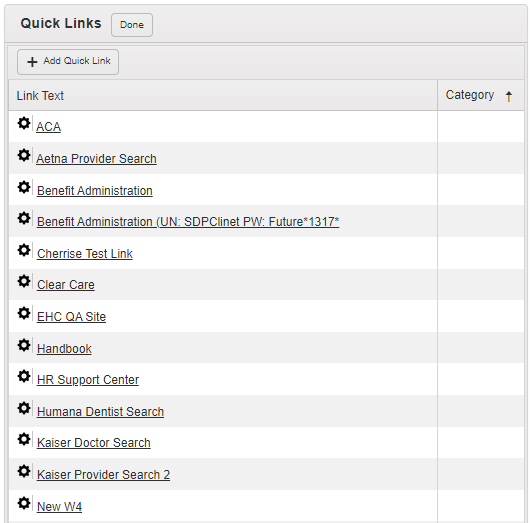
This will bring up a list of all of your company's Quick Links. You can select +Add Quick Link to create a new Quick Link, or click on the Gear icon next to an existing Quick Link to Edit or Delete it.
If adding a new Quick Link, the following dialogue box will appear for you to enter the information for your new Quick Link:
-
Link Text: The text will be displayed on the portal homepage.
-
URL Link: Choose if you are linking to a webpage and enter the web address in the "URL" box below.
-
File Upload Link: Choose if you are uploading a document or file. Choose the select file button and browse for the file you are uploading.
Top Tip: Any new Quick Links will be automatically added to the Employee role by default. If you would like to change who is able to see your Quick Links, you can configure this by role here.
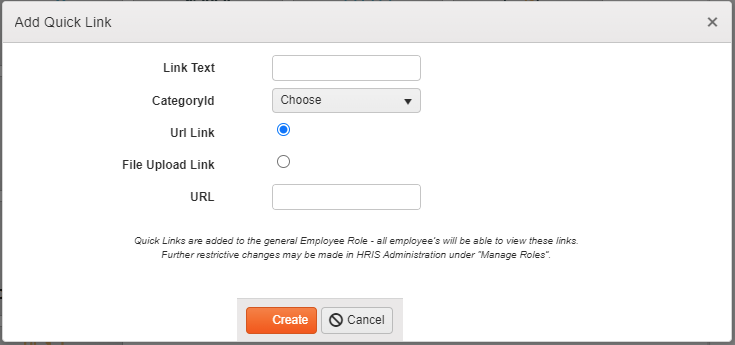
Once done, click Create.
Organizing Quick Links
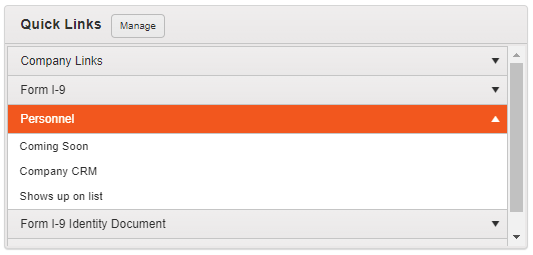
Grouping and organizing your Quick Links is easy with Categories. Learn more about how to set up Categories here.
Comments
0 comments
Please sign in to leave a comment.